



In short
Choose design patterns that clarify the offer, show relevant evidence and make the next step easy. Typography, motion and interactive tools should support the customer’s task and work on phones and keyboards.
On this page (8)
- 1. A clear opening with one useful action
- 2. Strong typography with readable detail
- 3. Real evidence beside the relevant claim
- 4. Motion that explains instead of interrupts
- 5. Small tools that help people decide
- 6. A lighter page with dependable navigation
- Choose patterns around one customer journey
- Frequently asked questions
A design trend is useful when it makes a website easier to understand or use. It is a poor investment when it slows the page, hides the offer or makes ordinary tasks harder. Start with the customer’s job, then choose the visual treatment.
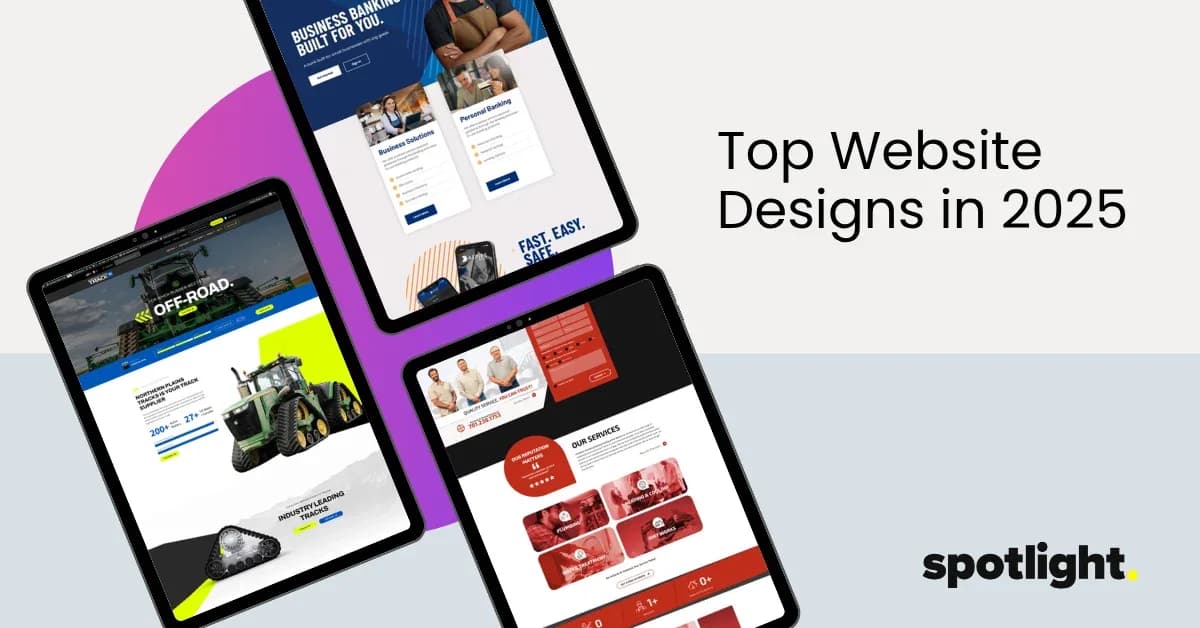
The examples below show practical patterns you can evaluate on a live site. They are illustrative layouts, not measured client results. Use them to explain what you want a design to accomplish before choosing a visual style.
1. A clear opening with one useful action
A strong opening answers what the business does, who it helps and what the visitor can do next. The design can be expressive without asking readers to decode a slogan. Give the headline enough space, use ordinary language nearby and make the main action describe its outcome.
| Element | Example treatment | Why it helps |
|---|---|---|
| Headline | Commercial maintenance for regional facilities | Names the service and audience |
| Support line | Explain the work covered and service area in plain text | Helps a visitor judge fit |
| Primary action | Request a maintenance assessment | Sets a clear expectation |
| Supporting link | See what an assessment includes | Answers uncertainty before asking for details |
Use this as a structure, not copy to paste into an unrelated business. Your offer and geographic coverage must be accurate.
2. Strong typography with readable detail
Large headlines can establish hierarchy. The body text still needs comfortable line lengths, contrast and spacing. Test the actual paragraphs, not only a short placeholder. Long service names, phone numbers and translated text can expose problems that a mockup hides.
Check the page when zoomed and on a narrow screen. Look for cropped words, hidden buttons and side-to-side scrolling. A distinctive typeface is not a reason to make supporting information tiny. Readable detail is part of the brand experience.
Ask the designer to show the page outline as well as the typography. The main page heading (H1) identifies the topic; section headings (H2) and subsections (H3) organize the answer. A large paragraph styled to look like a heading does not provide the same navigation for someone using a screen reader. Choose heading levels for structure, then style their appearance.
3. Real evidence beside the relevant claim
A project image becomes more useful when the caption explains the problem, contribution and scope. A testimonial belongs near the decision it helps with, provided permission and attribution are established. Avoid using a decorative wall of logos as a substitute for an explanation.
For a website portfolio, connect each image, title and button to the same project. Include meaningful text so visitors can understand the work without relying on a hover animation. Browse our website portfolio and use these questions to evaluate the presentation.
4. Motion that explains instead of interrupts
Use motion to reveal a relationship, demonstrate a product state or acknowledge an action. If the message is the same after the animation is removed, the page should still communicate it. Do not force readers to chase text or wait for the service description to appear.
W3C guidance requires controls for certain moving or automatically updating content; the exact requirement depends on the behavior. As a practical design standard, offer pause controls where needed, respect reduced-motion preferences and keep meaningful text available without animation.
Good reason to animate
A visitor changes a setting and sees the corresponding example change. The motion communicates cause and effect.
Reason to simplify
A looping background competes with body text or makes the main action hard to focus on. Reduce the movement or remove it.
How to review it
Try a keyboard, reduced-motion settings and a phone. Check the start, pause and resumed states, not only a still screenshot.
5. Small tools that help people decide
A comparison table, a short worksheet or a clearly labeled estimator can help someone make progress. The tool needs a narrow purpose and honest limits. A scenario calculator should label its assumptions; invented precision can be less useful than a straightforward explanation.
For example, a website buyer can compare ownership, content and support using the website proposal worksheet. Someone planning a rebuild can use the SEO and design self-check. Neither should claim to predict sales or rankings.
6. A lighter page with dependable navigation
Images should be sized for their display area, and optional video should not prevent the page from becoming useful. Keep navigation labels recognizable and make menu controls easy to find. A beautiful page that breaks after returning from a project is still unfinished.
Measure the real experience instead of assuming a minimal visual style is fast. Review important phone and desktop tasks, then investigate performance problems. Google’s page-experience guidance encourages a useful overall experience rather than focusing on one score.
Choose patterns around one customer journey
- Choose one important task, such as comparing a service or requesting a quote.
- Sketch the information the customer needs before acting.
- Add only the layout, media and interaction that clarify that information.
- Test the task on a phone and with a keyboard; fix what slows it down.
If you are planning a new site, bring that journey to your designer. Our website designer interview questions help turn a visual preference into a reviewable brief. You can explore Spotlight’s website design services or talk with the team about the next step.
Frequently asked questions
Should I redesign because a style is trending?
A trend alone is not a reason to rebuild. Identify a customer or business problem first, then assess whether a design change is the best way to address it.
Are the examples in this guide client results?
No. The page-layout examples are illustrations for planning. Actual project work is linked separately, and no performance improvement is claimed for these examples.
Is animation required for a modern website?
No. Use it when it helps explain something or gives useful feedback. Keep the content and important actions usable without motion.
Sources and further reading
- W3C: WCAG 2.2 reference
- W3C: pause, stop and hide moving content
- Google Search Central: page experience
- W3C: heading structure and navigation
Documentation checked October 16, 2026. Platform features and requirements can change.

Written by
Spotlight Staff, Spotlight Media.
Written and edited by the team at Spotlight Media, a full-service marketing agency in Fargo, North Dakota. Strategy, advertising, websites, SEO and creative for businesses across the region since 2010.
Meet the teamPass it on. Send it to someone who’ll find it useful.
Useful Web Design Trends and Website Examples.
Spotlight StaffNovember 2025 · 5 min read
spotlightmediafargo.com
Useful Web Design Trends and Website Examples